
Note: This website was automatically translated, so some terms or nuances may not be completely accurate.
 App Reference Book [2/7]
The 7 Principles of Good Apps ②: Maximizing the Use of Device and OS Features

Masashi Yamasaki
Fuller Co., Ltd.
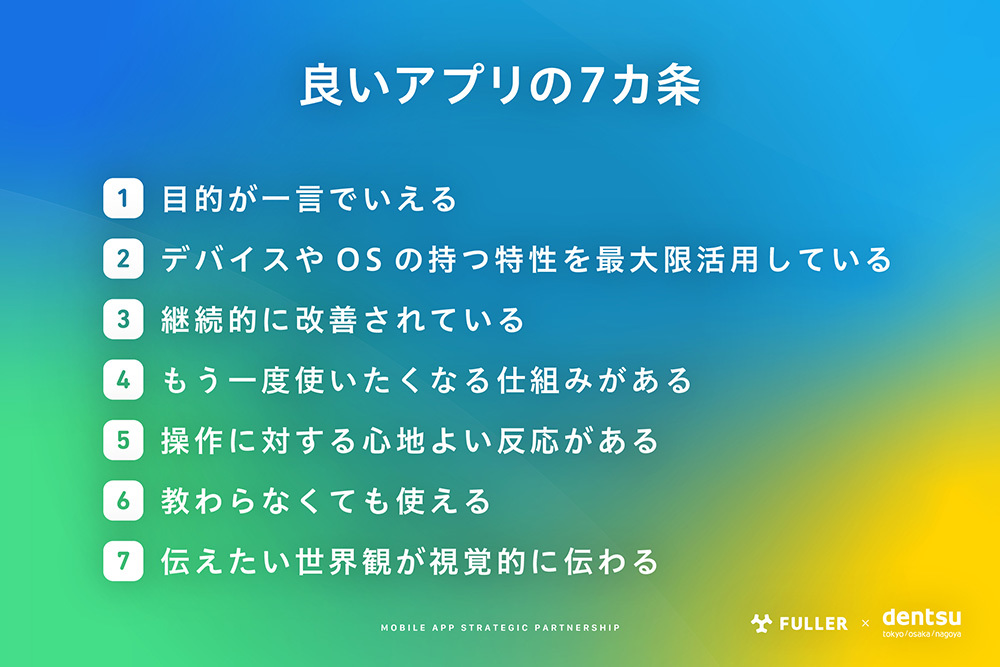
As many companies pursue DX initiatives, the shift toward mobile as the primary customer touchpoint is accelerating. For this series, we interviewed Fuller Inc., which collaborates with Dentsu Inc. on app development. We asked Fuller's President Yamasaki, who has been tracking apps since the dawn of the iPhone era, to discuss the "Seven Principles of Good Apps" (see the previous article here ). This time, we explain "The 7 Principles of Good Apps ②: Maximizing the Unique Capabilities of Devices and Operating Systems."
(Planning: Dentsu Inc. 8MK Bureau, Makoto Sasagawa, Yosuke Otsubo, Yuki Sugiyama)
Flur Inc.
Flur supports corporate business in the digital domain, with app design and development as one of its core services. They meticulously analyze apps and their markets, handling everything from strategy building to product development and growth. Their creative teams—comprising engineers, designers, data scientists, and directors—create outstanding apps for various companies.
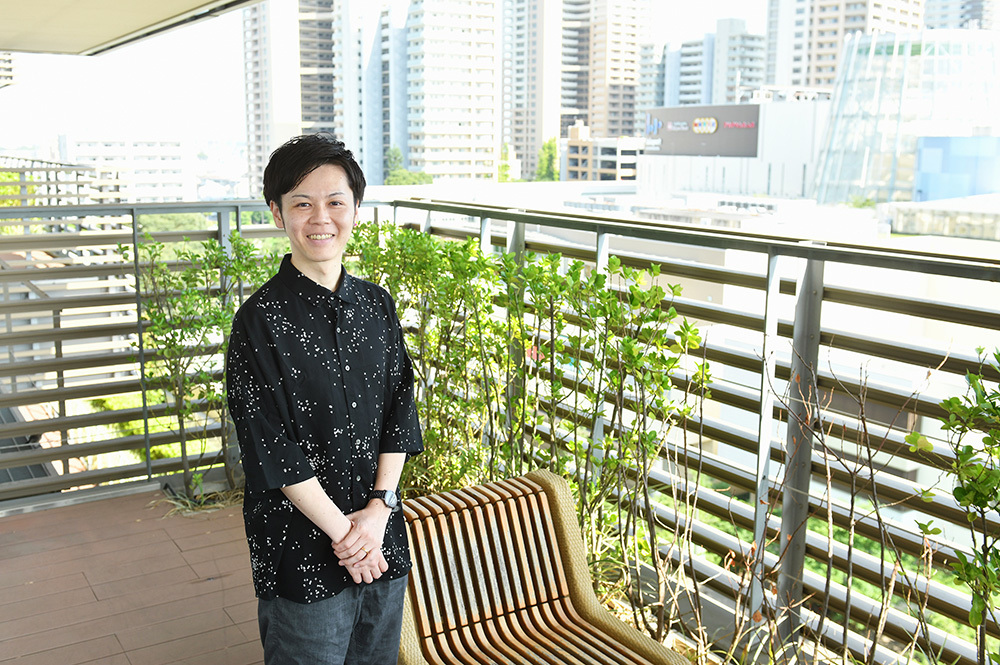
Looking "Beyond the App" Opens Up Possibilities
In app development, we tend to focus on what features and content to include "inside the app (the screens after opening it)." However, I also tell everyone at the company that it's crucial to look at "outside the app (the characteristics of the smartphone device and OS)."
This is because devices and operating systems evolve rapidly, constantly expanding what smartphones can do. For example, modern smartphones include sensors that detect device orientation, tilt, and motion. Pedometer and health apps utilize these sensors.
Additionally, the placement of the front-facing camera has changed. While notch-style designs were common in the past, punch-hole designs have become the mainstream recently. Notably, the latest iOS devices feature a display space called "Dynamic Island" within the camera punch-hole area. Starting with iOS 16.1, the "Live Activities" feature was added, allowing users to view information about running apps directly from the lock screen or display it on the Dynamic Island.
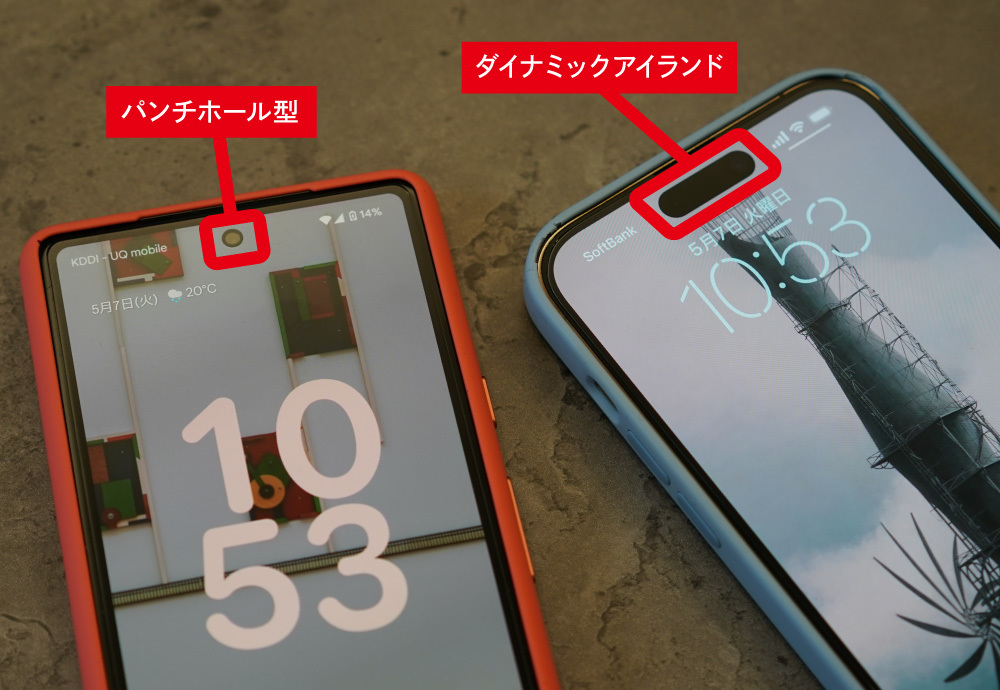
Leveraging these device and OS characteristics expands the possibilities for app development. When we brainstorm app development plans with clients, they often ask, "Can we do this?" If we're unaware of device or OS updates, we can only discuss "inside the app," limiting our proposals. That's why we diligently track device and OS updates. By looking at the "outside of the app," we can engage users even when they're not actively using the app, creating opportunities to increase usage.
Three Apps Leveraging Device and OS Features
There are three apps that stand out for "maximizing the unique features of devices and OS." The first is the photo-sharing app "Locket Widget" provided by Locket Labs in the US.
A "Widget" is a shortcut function for apps displayed on a smartphone's home screen. You're probably familiar with widgets showing clocks, weather, schedules, or news. This feature allows you to check content without opening the app.
"Locket Widget" makes excellent use of this Widget functionality. When you send a photo through this app, the recipient can view the new photo simply by unlocking their phone, without needing to launch the app. While most services require opening the app to view photos, this service was groundbreaking for allowing easy access to live photos from loved ones.
There's a saying on the internet: "Reducing n clicks to 1 click makes it a business; reducing 1 click to 0 clicks makes it a revolution." I believe that for apps too, reducing the number of taps increases business opportunities. "Locket Widget" lets you see the latest photo without tapping the app icon. Seeing that photo might prompt you to send a comment or view other photos, ultimately leading you to open the app – creating a positive cycle.

https://apps.apple.com/jp/app/locket-widget/id1600525061
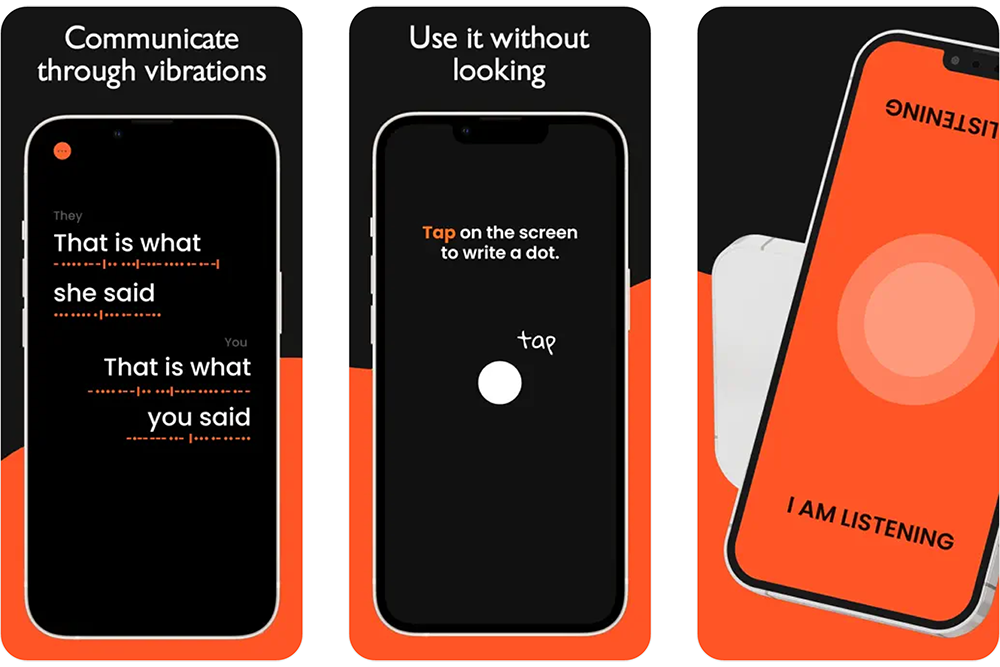
The second is "Anne," an app supporting deafblind individuals (those with both visual and hearing impairments). This app is provided by a company based in Milan, Italy, and was selected as a finalist in the 2023 Apple Design Awards.
The iPhone features a "gesture function" that enables specific operations through defined finger movements like swiping. It also includes vibration feedback and back tap functionality, and "Anne" is an excellent example of an app that leverages these features.
Anne prompts users to set it to launch with a double-tap on the iPhone's back. Furthermore, when a finger traces patterns on the screen, the app emits sounds and vibrations corresponding to the tracing pattern. This makes it an app akin to "digital braille," enabling communication with deafblind individuals.
https://apps.apple.com/jp/app/anne/id1628657638
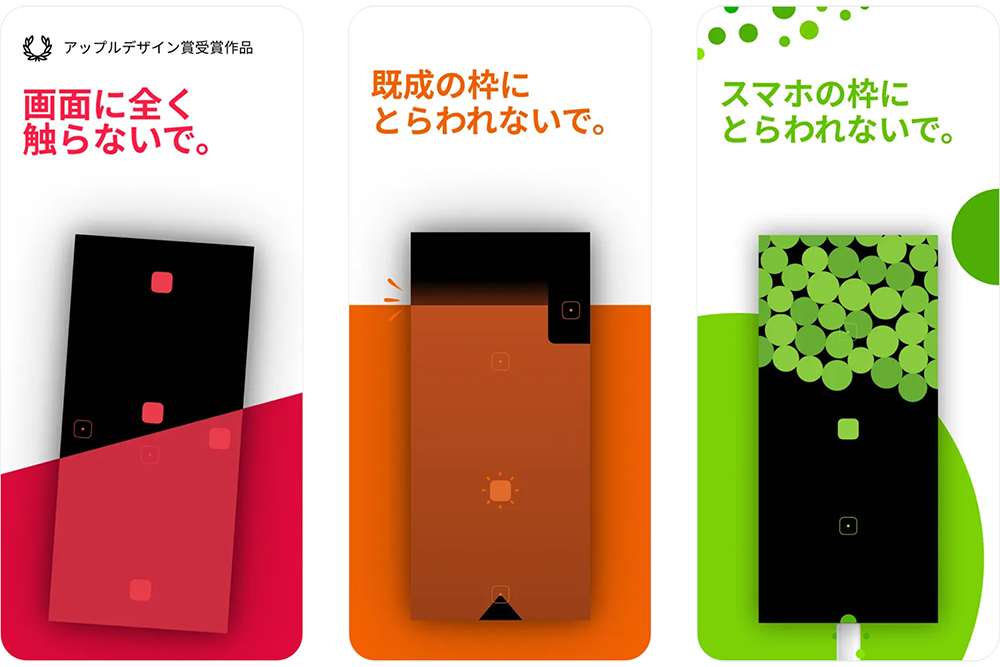
The third is "Blackbox," a game app that won the Apple Design Awards in 2017. "Blackbox" is a puzzle game that leverages the unique features of the iPhone to solve mysteries—tilting the device, using the microphone or camera, adjusting screen brightness, and more. Some challenges require clearing the level without tapping the screen. It's a noteworthy app for expanding the possibilities of game apps. Playing "Blackbox" also lets you discover various smartphone functions.
Always check for device and OS updates
In app development, it's crucial for developers to understand changes in devices and operating systems and incorporate features and content accordingly. This leads to providing unique value that browsers cannot offer. However, in reality, few apps fully leverage the capabilities of devices and operating systems. For example, both iPhone and Android have home screen notification features, but it seems less known that the display design can be customized in various ways. Similarly, few apps seem to effectively utilize the aforementioned Widget functionality.
In reality, major OS updates occur at least once a year, with minor updates happening more frequently. To stay current with the latest device and OS information, I believe it's crucial for developers to check the official documentation provided by Apple and Google.
In app development, I believe we must consider every possible choice to achieve our goals. Focusing on device and OS features enhances the app's UI/UX, convenience, and frequency of use, ultimately increasing its value.
Next time, we'll explain "The 7 Principles of Good Apps ③: Continuously Improved."
For more on "The 7 Principles of Good Apps," check out these recommended articles!
①: The purpose can be stated in one sentence
②: Maximizes the unique characteristics of the device and OS (this article)
③: Is continuously improved
④: Has mechanisms that make you want to use it again
⑤: Provides pleasant feedback for actions
⑥: Can be used without instruction (Coming soon)
⑦: Visually conveys the intended worldview (Coming soon)

Was this article helpful?
Share this article


Newsletter registration is here
We select and publish important news every day
For inquiries about this article
Back Numbers
Author
Masashi Yamasaki
Fuller Co., Ltd.
President and CEO