
Note: This website was automatically translated, so some terms or nuances may not be completely accurate.
 App Reference Book [5/7]
The 7 Principles of Good Apps ⑤: Pleasant Feedback to User Actions

Masashi Yamasaki
Fuller Co., Ltd.
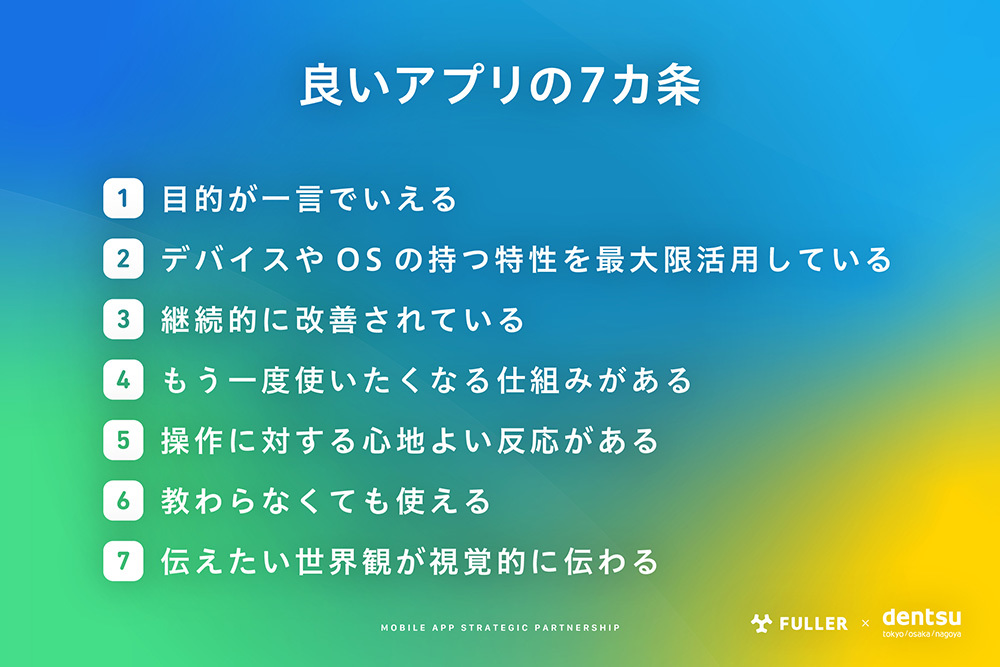
As many companies engage in DX initiatives, the shift toward seeking customer touchpoints on smartphones is accelerating. This series features an interview with Fuller Inc., which collaborates with Dentsu Inc. on app development. Fuller's President Yamazaki, who has been tracking apps since the dawn of the iPhone era, shares his "Seven Principles of Good Apps" (see the previous article here ). This installment explains "Principle 5: Pleasant Responses to User Actions."
(Planning: Dentsu Inc. 8MK Bureau, Makoto Sasagawa, Yosuke Otsubo, Yuki Sugiyama)
Fuller Inc.
Supports corporate business in the digital domain, with app design and development as one of its core services. Meticulously analyzes apps and their markets, handling everything from strategy building to product development and growth. The company's creative teams—comprising engineers, designers, data scientists, and directors—create outstanding apps for various businesses.

It is essential for the app to respond appropriately to user actions
As one of the criteria for a good app, we'll discuss the fifth point: "Providing pleasant responses to user actions." Before defining "pleasant," let's first explain the necessity of "apps responding appropriately to user actions."
For example, how would you feel in these situations? You tap the payment button, but nothing happens. You fill out information on an e-commerce app and press the register button, but there's no response, leaving you unsure if it saved. You write a message to someone you're interested in on a dating app and tap send, but the screen doesn't change at all.
Wouldn't you start wondering: "Did the payment go through?", "Was my information saved?", "Did my message send?"
In apps, if the app doesn't consistently and accurately provide feedback about what's happening internally for each user action, users will feel uneasy—even if the app is functioning correctly. This leads to a loss of trust in the app.
Saving something you've typed is a significant effort for users. Paying money also requires caution. Providing clear, impactful feedback for these user actions is crucial.
Building on this, adding a sense of "pleasantness" to the app's responses fosters familiarity with the app and enhances the image of the product, service, or brand.
Three Apps with Pleasant Responses
So, what exactly constitutes a "pleasant reaction"? Here are three examples. The first is the official Louis Vuitton app. When you press a menu item on the tab bar at the bottom of the screen, one of Louis Vuitton's monogram symbols subtly appears from below, indicating which tab is open. It's a small detail, but it feels thoughtful and adds a touch of fun. Furthermore, the animation of elements rising from below is also used when launching the app. Employing similar animations creates a sense of consistency in the app's overall design.
If you think of the app as a store, user-centric design that makes selecting and purchasing products enjoyable is crucial. Of course, products can be bought without such features, so there's no functional issue. However, providing pleasant responses to user actions enhances the brand image, conveys the brand's worldview, and helps build a loyal fan base that continues to purchase.

https://apps.apple.com/jp/app/louis-vuitton/id709101942
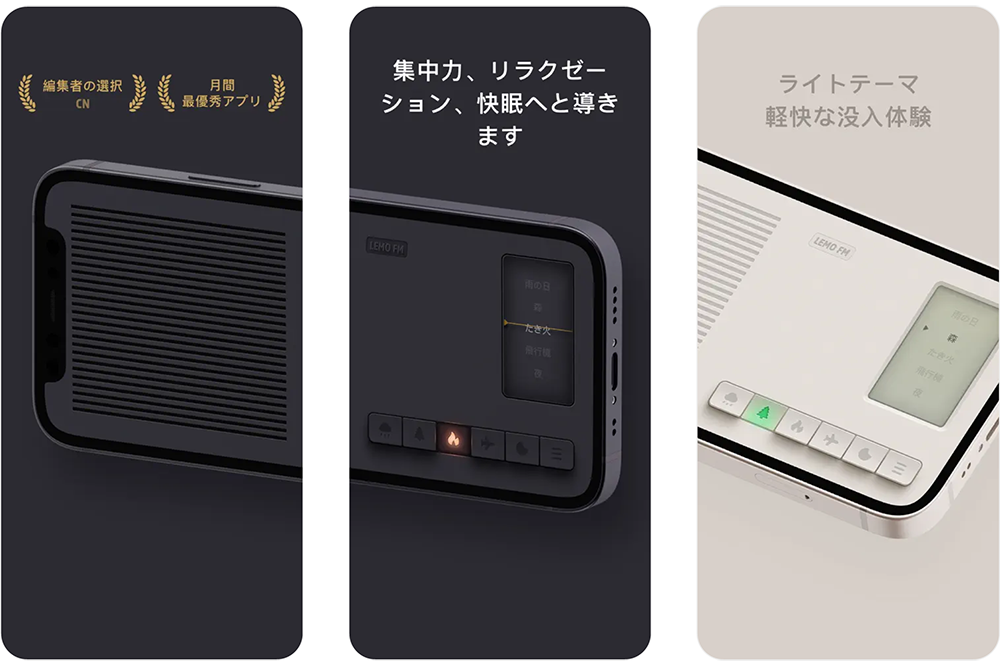
The second app is "LEMO FM," designed for relaxation through natural sounds. Its distinctive feature is a radio-inspired design. Swiping the dial produces a clicking sound, and tapping buttons provides haptic feedback, creating the sensation of operating a real radio. This app's defining characteristic is its thorough recreation of the radio experience, likely fostering a sense of attachment among many users. As a side note, this design approach, which mimics real-world materials, is called "skeuomorphic design."
https://apps.apple.com/jp/app/lemo-fm-relax-focus-sleep/id6444756219
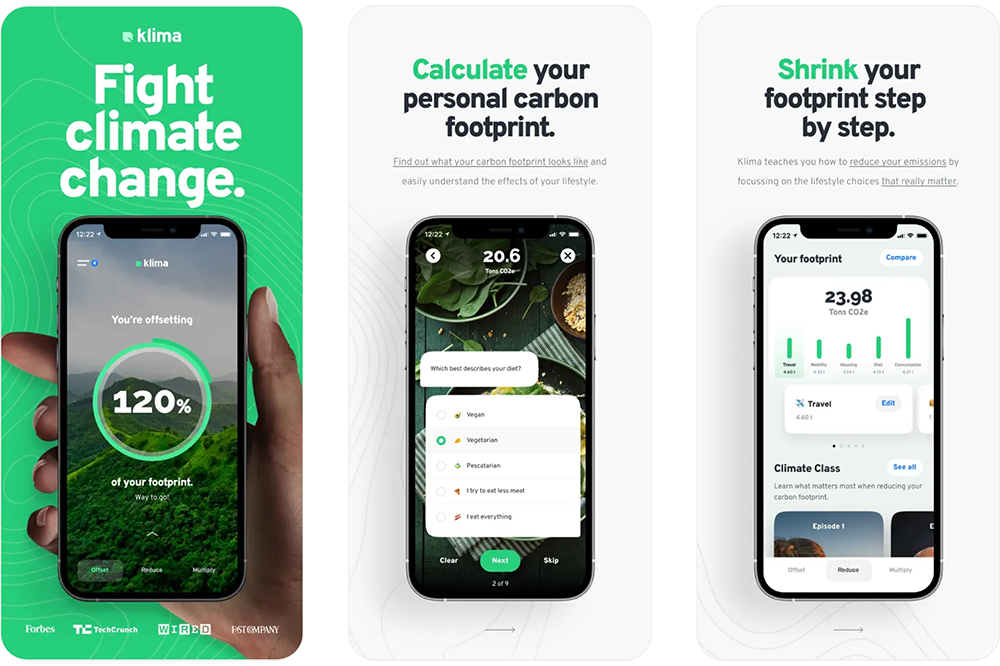
The third app is "klima," developed by a German company. It allows individuals to easily engage in carbon offsetting. This app calculates a user's CO2 emissions based on their lifestyle and suggests investments in environmental projects commensurate with that amount. Users can participate in these investments via a subscription model, making carbon offsetting simple.
A distinctive feature of klima lies in its user experience. Upon subscribing, the app's home screen undergoes a significant transformation. This change welcomes the user's important decision and provides maximum feedback for their action. While subscribing can be a major hurdle for many, klima celebrates the user's environmental contribution through this pleasant visual reaction, encouraging continued activity.
https://apps.apple.com/jp/app/klima-fight-climate-change/id1527437330
Think in terms of "motion," not just "still images"
To create "pleasant responses to user actions" within an app, it's essential to consciously consider "motion." However, in app development, we often see cases where design follows the same approach as traditional web development. It's not uncommon to focus solely on looking at the screen on a PC, filling in only the necessary information, and then deciding what looks good.
Instead of viewing it as a "still image," consider the psychological aspect: what kind of "motion" in response to app interactions would users find convenient and pleasant? Unlike the web, app development can utilize various smartphone features. You must carefully consider each element—small changes within the screen, screen transition methods, vibrations, sounds—and how to leverage these smartphone capabilities to provide the right feedback to the user.
That said, the line between "pleasantness" and "annoyance" is very thin. Overdoing it risks making users feel the app is "somehow awkward to use." Determining the right amount of feedback truly tests a developer's skill. To hone your sensitivity toward apps, it's crucial to use many apps regularly. Develop the habit of thinking about what aspects feel pleasant while interacting with various apps. When using apps, the bad parts tend to stand out, but the good parts are surprisingly easy to overlook.
Pleasant responses can significantly change a user's impression of an app, leading to continued use. Please consider this.
Next time, we'll explain "The 7 Principles of Good Apps ⑥: Intuitive to Use Without Instruction."
For more on the "7 Principles of Good Apps," we also recommend this article!
①: Its purpose can be stated in one sentence
②: It maximizes the unique features of the device and OS
③: It undergoes continuous improvement
④: It has mechanisms that make you want to use it again
⑤: It provides pleasant responses to actions (this article)
⑥: It can be used without instruction (coming soon)
⑦: It visually communicates its intended worldview (coming soon)

Was this article helpful?
Share this article


Newsletter registration is here
We select and publish important news every day
For inquiries about this article
Back Numbers


Author
Masashi Yamasaki
Fuller Co., Ltd.
President and CEO